> ## Documentation Index
> Fetch the complete documentation index at: https://developers.zerion.io/llms.txt
> Use this file to discover all available pages before exploring further.

# Introduction

> Getting started with Zerion API

## Get started

<CardGroup cols={2}>
  <Card title="Get your API key" icon="key" href="https://dashboard.zerion.io">
    Generate a free key from the dashboard.
  </Card>

  <Card title="API Reference" icon="code" href="/api-reference/wallets/get-wallet-portfolio">
    Explore all API endpoints.
  </Card>
</CardGroup>

### Use Zerion API with Agents

The [Zerion CLI](/build-with-ai/zerion-cli) is the fastest way for agents to query onchain data. Any assistant that can run shell commands can read wallets, tokens, and positions without writing API integration code.

One-shot setup — installs the CLI globally, configures your API key, and adds skills across all detected coding agents:

```bash theme={null}
npx -y zerion-cli init -y --browser
```

<Info>`--browser` opens [dashboard.zerion.io](https://dashboard.zerion.io) so you can grab an API key and paste it back. See [Zerion CLI](/build-with-ai/zerion-cli) for manual install and authentication options.</Info>

Or use the [MCP Server](/build-with-ai/mcp) to connect Zerion directly to Claude, Cursor, Windsurf, VS Code, and other AI tools. For agents that need to pay per-request without managing API keys, see [x402](/build-with-ai/x402) or [MPP](/build-with-ai/mpp) payments.

### Build onchain apps

<Tabs>
  <Tab title="Portfolio">
    <div class="hero-grid" style={{display: "grid", gridTemplateColumns: "1fr 1fr", gap: "2rem", alignItems: "start"}}>
      <div>
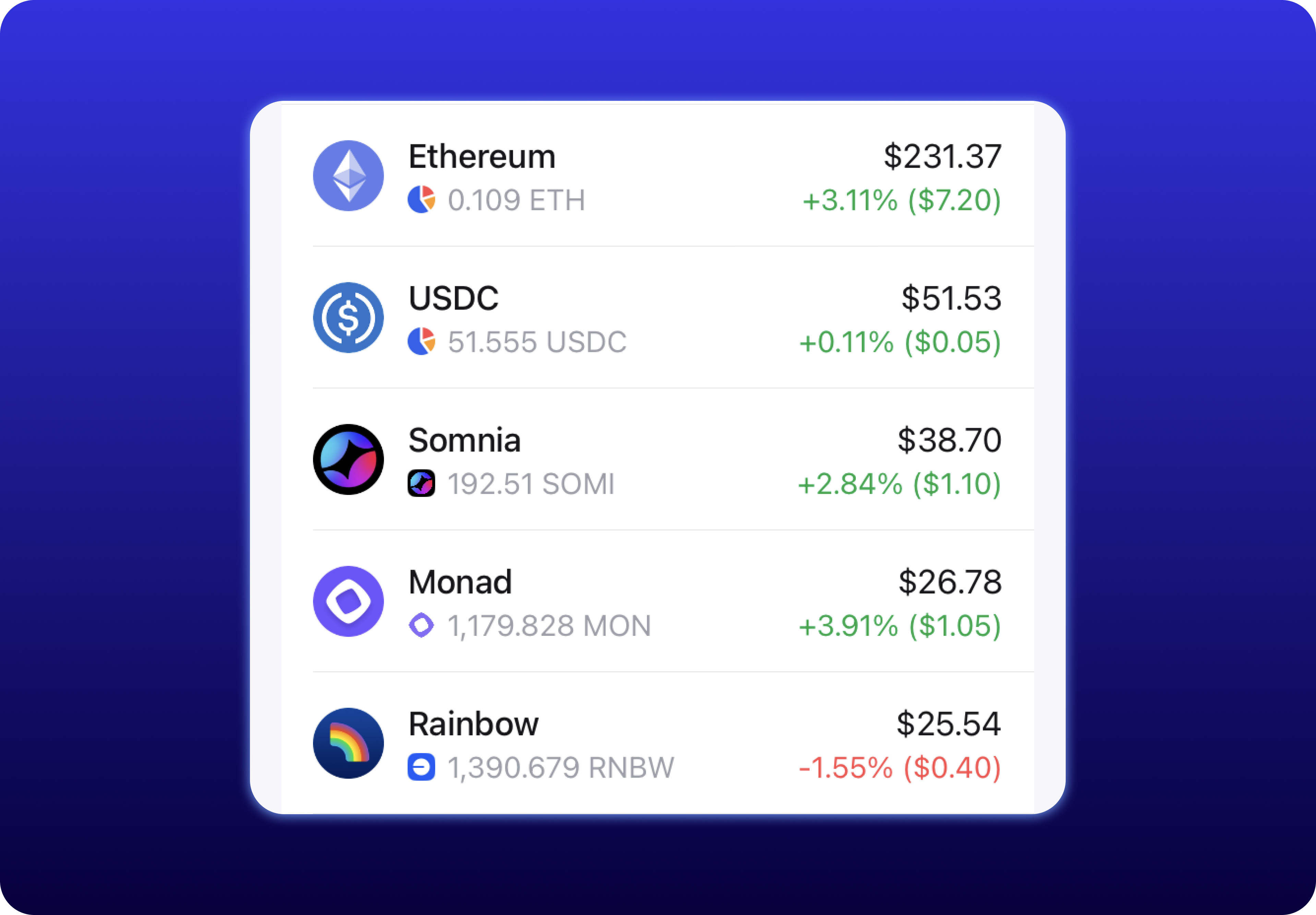
        <p style={{margin: 0}}>Fetch a wallet's total portfolio value and break it down by individual token positions across all supported chains.</p>
        <a href="/recipes/multi-chain-portfolio" class="hero-cta" style={{marginTop: "1.5rem", display: "inline-flex"}}>View recipe →</a>
      </div>

      <img src="https://mintcdn.com/zerion-f99485ad/DXj0ZmrhFjBhnq-0/images/portfolio.png?fit=max&auto=format&n=DXj0ZmrhFjBhnq-0&q=85&s=353a8a18b02dbfaecfe239339d4e83c6" alt="Zerion wallet portfolio view" style={{maxWidth: "400px", borderRadius: "12px", margin: "0 auto"}} noZoom width="3838" height="2668" data-path="images/portfolio.png" />
    </div>
  </Tab>

  <Tab title="DeFi Positions">
    <div class="hero-grid" style={{display: "grid", gridTemplateColumns: "1fr 1fr", gap: "2rem", alignItems: "start"}}>
      <div>
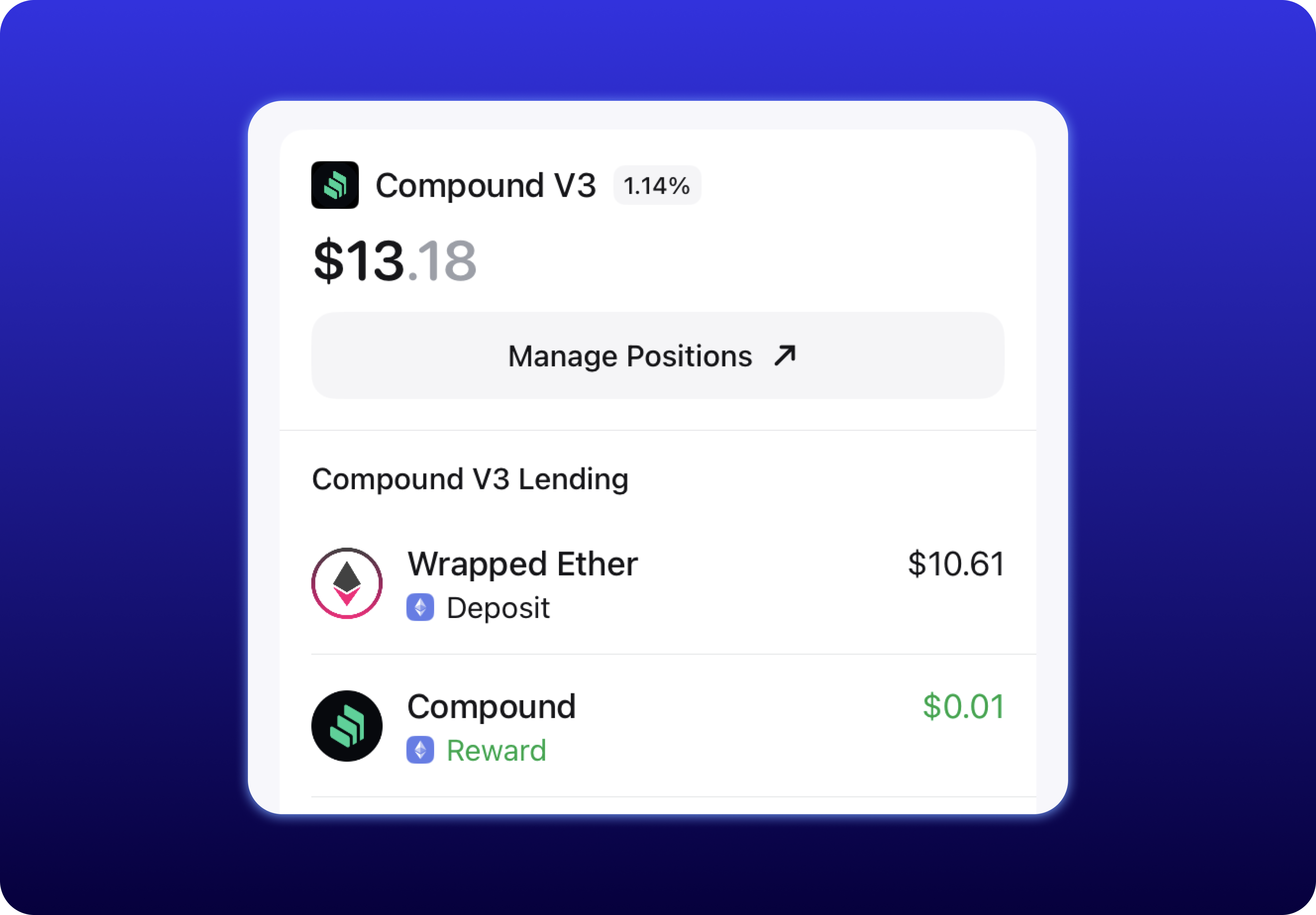
        <p style={{margin: 0}}>Fetch active DeFi positions across protocols — lending, staking, and liquidity, all in a single schema.</p>
        <a href="/recipes/defi-positions" class="hero-cta" style={{marginTop: "1.5rem", display: "inline-flex"}}>View recipe →</a>
      </div>

      <img src="https://mintcdn.com/zerion-f99485ad/DXj0ZmrhFjBhnq-0/images/defi-positions.png?fit=max&auto=format&n=DXj0ZmrhFjBhnq-0&q=85&s=4343eece5a19e6d245d710b216e4285c" alt="Zerion DeFi positions view" style={{maxWidth: "400px", borderRadius: "12px", margin: "0 auto"}} noZoom width="3838" height="2668" data-path="images/defi-positions.png" />
    </div>
  </Tab>

  <Tab title="Transaction History">
    <div class="hero-grid" style={{display: "grid", gridTemplateColumns: "1fr 1fr", gap: "2rem", alignItems: "start"}}>
      <div>
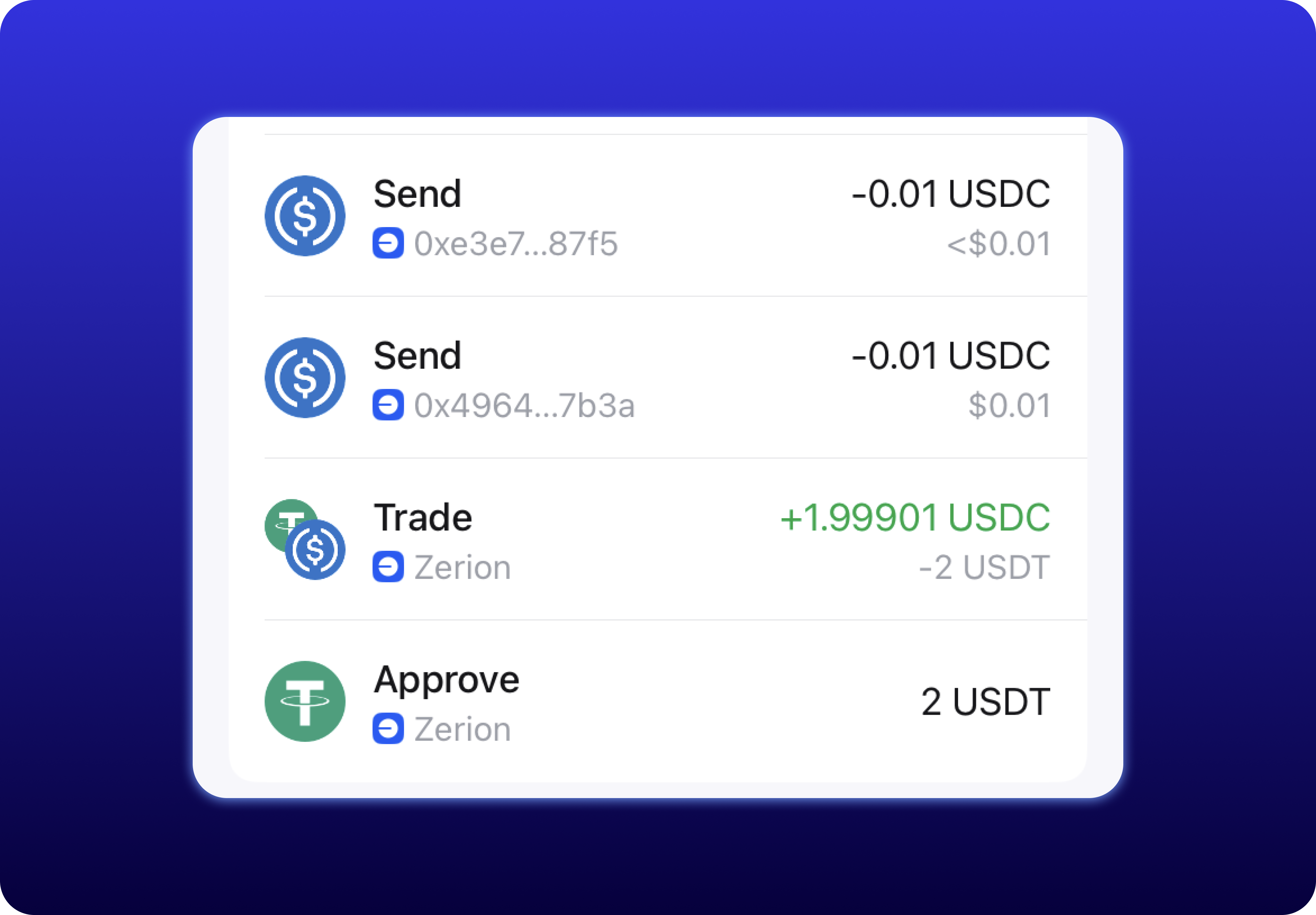
        <p style={{margin: 0}}>Every transaction decoded into human-readable actions — trades, transfers, approvals, and more. Filter by type, chain, or date range.</p>
        <a href="/recipes/transaction-history" class="hero-cta" style={{marginTop: "1.5rem", display: "inline-flex"}}>View recipe →</a>
      </div>

      <img src="https://mintcdn.com/zerion-f99485ad/DXj0ZmrhFjBhnq-0/images/transaction-history.png?fit=max&auto=format&n=DXj0ZmrhFjBhnq-0&q=85&s=ab9edfe135ef43654de1c7b7adda3efd" alt="Zerion transaction history view" style={{maxWidth: "400px", borderRadius: "12px", margin: "0 auto"}} noZoom width="3838" height="2668" data-path="images/transaction-history.png" />
    </div>
  </Tab>

  <Tab title="PnL">
    <div class="hero-grid" style={{display: "grid", gridTemplateColumns: "1fr 1fr", gap: "2rem", alignItems: "start"}}>
      <div>
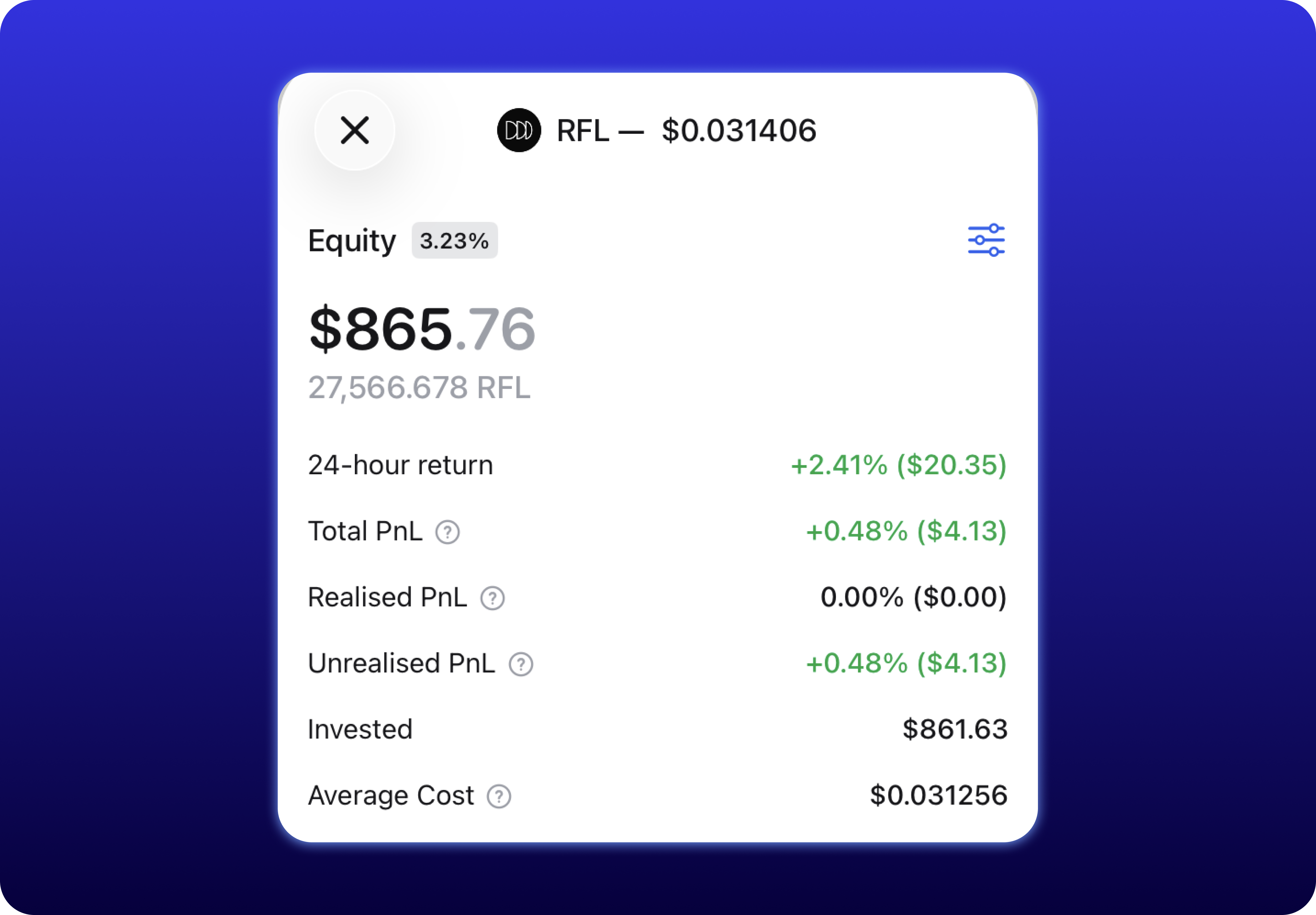
        <p style={{margin: 0}}>Track PnL at the wallet level and drill down into performance per token. Normalized to USD or any currency.</p>
        <a href="/recipes/wallet-pnl-tracker" class="hero-cta" style={{marginTop: "1.5rem", display: "inline-flex"}}>View recipe →</a>
      </div>

      <img src="https://mintcdn.com/zerion-f99485ad/DXj0ZmrhFjBhnq-0/images/pnl.png?fit=max&auto=format&n=DXj0ZmrhFjBhnq-0&q=85&s=64b5038efa595fb09817f1cfae2d2ca8" alt="Zerion PnL view" style={{maxWidth: "400px", borderRadius: "12px", margin: "0 auto"}} noZoom width="3838" height="2668" data-path="images/pnl.png" />
    </div>
  </Tab>

  <Tab title="NFTs">
    <div class="hero-grid" style={{display: "grid", gridTemplateColumns: "1fr 1fr", gap: "2rem", alignItems: "start"}}>
      <div>
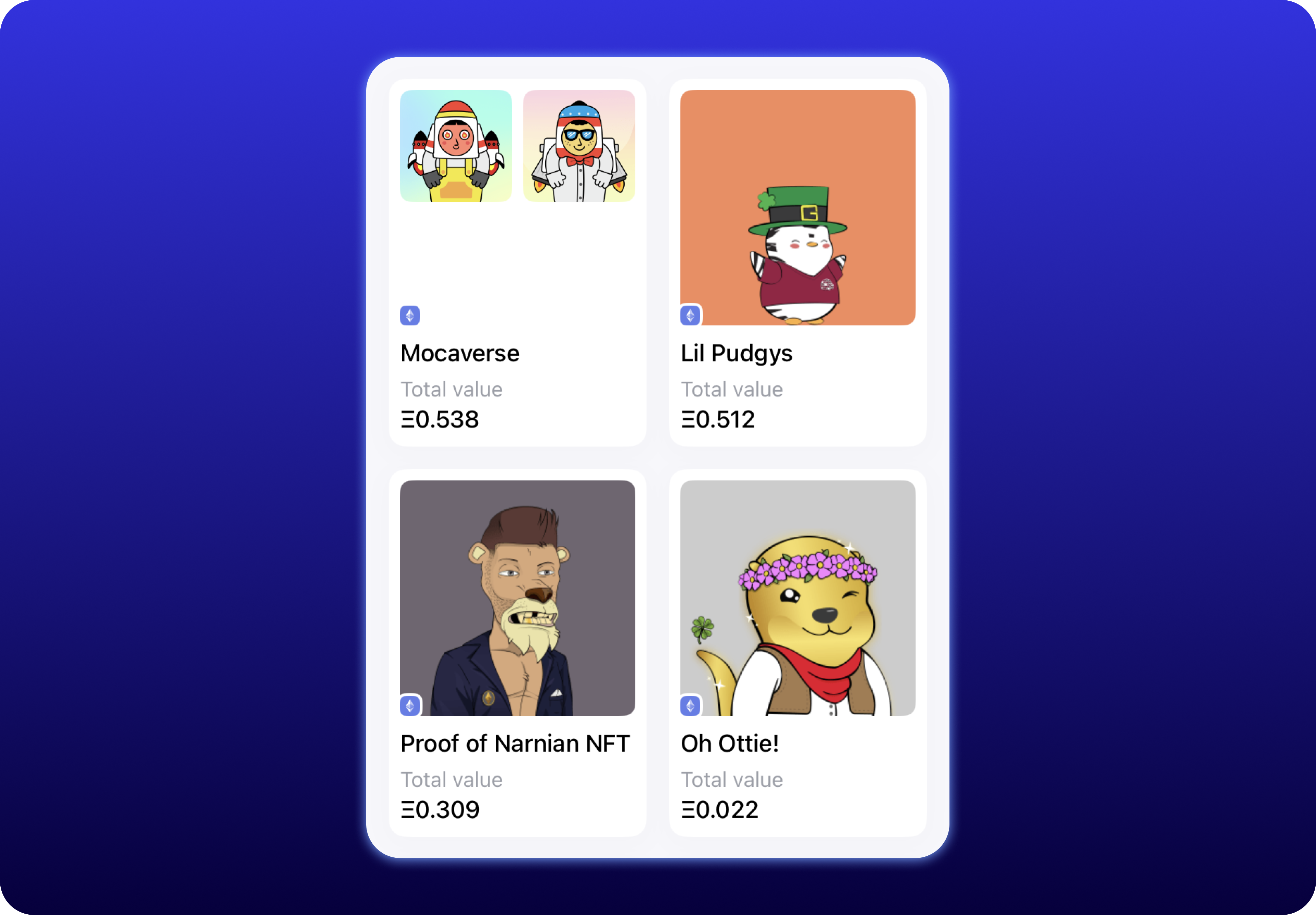
        <p style={{margin: 0}}>Fetch NFT collections and individual tokens held by any wallet. Includes metadata, floor prices, and media across all supported chains.</p>
        <a href="/recipes/nft-portfolio" class="hero-cta" style={{marginTop: "1.5rem", display: "inline-flex"}}>View recipe →</a>
      </div>

      <img src="https://mintcdn.com/zerion-f99485ad/DXj0ZmrhFjBhnq-0/images/nfts.png?fit=max&auto=format&n=DXj0ZmrhFjBhnq-0&q=85&s=2749e8c0285dff56303771892e91ba54" alt="Zerion NFT positions view" style={{maxWidth: "400px", borderRadius: "12px", margin: "0 auto"}} noZoom width="3838" height="2668" data-path="images/nfts.png" />
    </div>
  </Tab>

  <Tab title="Notifications">
    <div class="hero-grid" style={{display: "grid", gridTemplateColumns: "1fr 1fr", gap: "2rem", alignItems: "start"}}>
      <div>
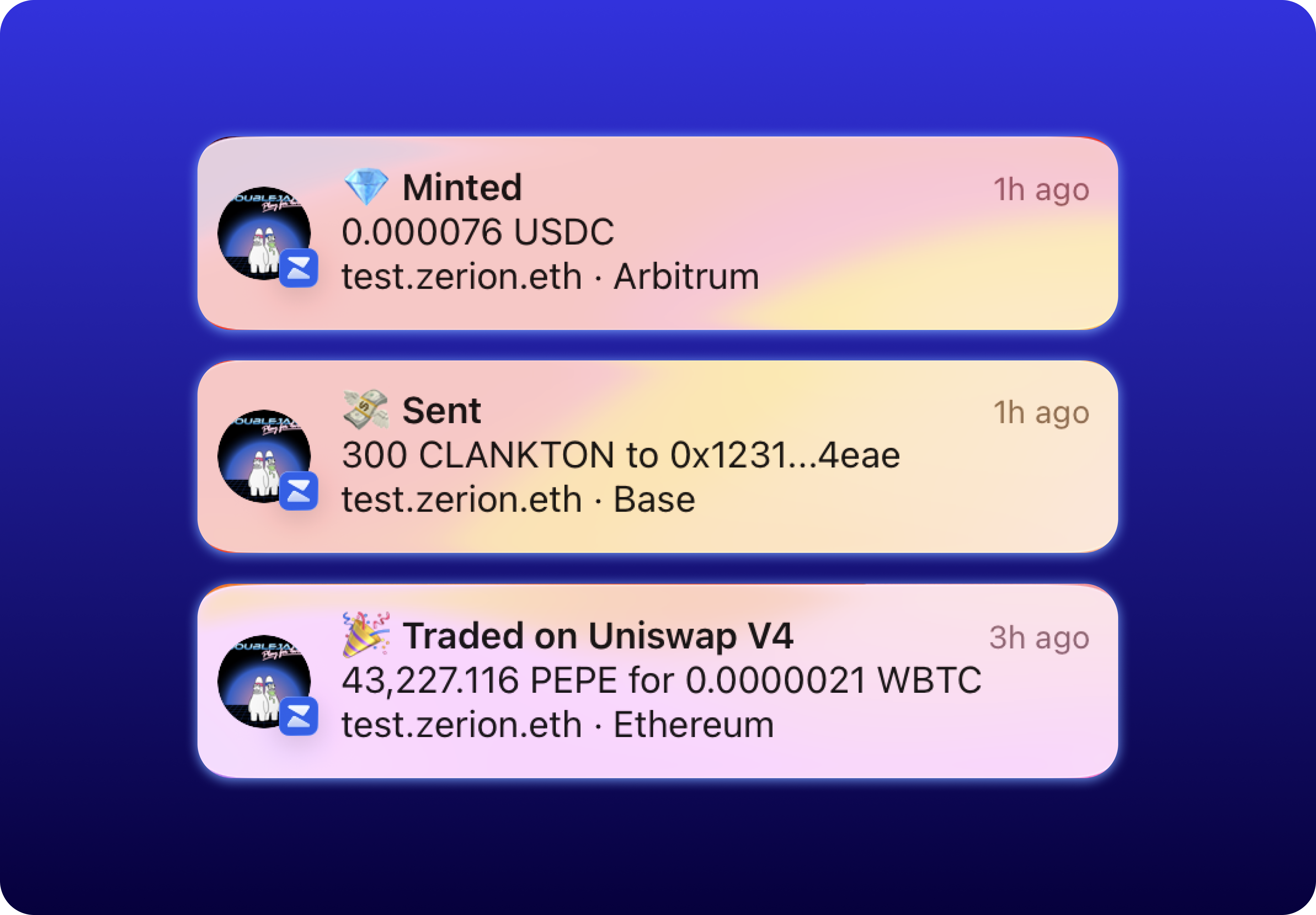
        <p style={{margin: 0}}>Subscribe to wallet activity via webhooks and get instant notifications when transactions happen — no polling needed.</p>
        <a href="/recipes/wallet-activity-alerts" class="hero-cta" style={{marginTop: "1.5rem", display: "inline-flex"}}>View recipe →</a>
      </div>

      <img src="https://mintcdn.com/zerion-f99485ad/DXj0ZmrhFjBhnq-0/images/notifications.png?fit=max&auto=format&n=DXj0ZmrhFjBhnq-0&q=85&s=0f8000f9907b7b759a915e1c46d55cd5" alt="Zerion real-time alerts view" style={{maxWidth: "400px", borderRadius: "12px", margin: "0 auto"}} noZoom width="3838" height="2668" data-path="images/notifications.png" />
    </div>
  </Tab>
</Tabs>

## Why Zerion API

Zerion API provides endpoints for wallet data, token analytics, DeFi positions, and real-time webhooks across [EVM chains and Solana](/supported-blockchains). These endpoints abstract away multi-chain complexity and deliver clean, normalized data ready to power your application.

<br />

<div class="why-grid" style={{display: "grid", gridTemplateColumns: "repeat(3, 1fr)", gap: "32px"}}>
  <div>
    <div style={{width: "72px", height: "72px", borderRadius: "16px", background: "rgba(48, 48, 212, 0.08)", display: "flex", alignItems: "center", justifyContent: "center"}}>
      <img src="https://mintcdn.com/zerion-f99485ad/bMHNNfhdjcaMI4ok/images/lightning.png?fit=max&auto=format&n=bMHNNfhdjcaMI4ok&q=85&s=d7ced89ceca3bf30e8388dad7771044c" width="44" height="44" style={{margin: "0", objectFit: "contain"}} noZoom data-path="images/lightning.png" />
    </div>

    <p style={{marginTop: "12px", marginBottom: "4px", fontWeight: "bold", fontSize: "1.1em"}}>Always fresh</p>
    <p style={{margin: "0", lineHeight: "1.6"}}>Data updates within milliseconds of new blocks. No stale reads, no polling delays.</p>
  </div>

  <div>
    <div style={{width: "72px", height: "72px", borderRadius: "16px", background: "rgba(48, 48, 212, 0.08)", display: "flex", alignItems: "center", justifyContent: "center"}}>
      <img src="https://mintcdn.com/zerion-f99485ad/bMHNNfhdjcaMI4ok/images/wallet.png?fit=max&auto=format&n=bMHNNfhdjcaMI4ok&q=85&s=f9abdcc4d2eacc5f9f20011c0eca5b01" width="44" height="44" style={{margin: "0", objectFit: "contain"}} noZoom data-path="images/wallet.png" />
    </div>

    <p style={{marginTop: "12px", marginBottom: "4px", fontWeight: "bold", fontSize: "1.1em"}}>Battle-tested</p>
    <p style={{margin: "0", lineHeight: "1.6"}}>Powers the Zerion app used by millions. The same infrastructure backs your project.</p>
  </div>

  <div>
    <div style={{width: "72px", height: "72px", borderRadius: "16px", background: "rgba(48, 48, 212, 0.08)", display: "flex", alignItems: "center", justifyContent: "center"}}>
      <img src="https://mintcdn.com/zerion-f99485ad/bMHNNfhdjcaMI4ok/images/chain.png?fit=max&auto=format&n=bMHNNfhdjcaMI4ok&q=85&s=325314b6d98c84a5e8a570eb5c530421" width="44" height="44" style={{margin: "0", objectFit: "contain"}} noZoom data-path="images/chain.png" />
    </div>

    <p style={{marginTop: "12px", marginBottom: "4px", fontWeight: "bold", fontSize: "1.1em"}}>Unified schema</p>
    <p style={{margin: "0", lineHeight: "1.6"}}>Normalized responses across all chains. No per-chain parsing or custom logic needed.</p>
  </div>
</div>

## Resources

<CardGroup cols={2}>
  <Card title="Quickstart" icon="bolt" href="/quickstart">
    Make your first request in under 5 minutes.
  </Card>

  <Card title="Supported Blockchains" icon="link" href="/supported-blockchains">
    See every chain the API covers.
  </Card>

  <Card title="Recipes" icon="book" href="/recipes">
    Step-by-step guides for common use cases.
  </Card>

  <Card title="Changelogs" icon="clock" href="/changelog">
    Latest updates and new features.
  </Card>
</CardGroup>